【001】で出来たと思いましたが、まだ完璧ではありませんでした。
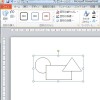
単純なオブジェクトはこれでOKですが、
グループ化されているオブジェクトはNGでした。
グループ化されたオブジェクトのがある場合のロジックを追加します。
本当にこのような方法しかないのか?ですが。。。
ExcelやWordでもこんな事、したかな?
最近、PowerPoint以外触ってないので、忘れましたが、
こんな事しなくてもオブジェクトで拾えたように思います。
Sub PPT002()
    Dim sld As Slide
    Dim shp As Shape
    Dim wkstr As String
    '***** 選択スライド
    For Each sld In ActiveWindow.Selection.SlideRange
        '***** 全シェイプ
        For Each shp In sld.Shapes
            '*** テキストフレームを持っているオブジェクト ***
            If (shp.HasTextFrame = msoTrue) And _
               (shp.TextFrame.HasText = msoTrue) Then
                Call text_proc(shp)
            End If
            '*** グループ化されているオブジェクト
            If (shp.Type = msoGroup) Then
                Call grp_proc(shp)
            End If
        Next shp
    Next sld
End Sub
Sub text_proc(shp As Shape)
        If (shp.TextFrame.TextRange.Font.Name <> "Times New Roman") Then
            shp.TextFrame.TextRange.Font.Name = "Times New Roman"
        End If
        If (shp.TextFrame.TextRange.Font.NameFarEast <> "MS 明朝") Then
            shp.TextFrame.TextRange.Font.NameFarEast = "MS 明朝"
        End If
End Sub
Sub grp_proc(shp As Shape)
    Dim grp As Shape
    '*** グループ内のオブジェクト分繰り返す
    For Each grp In shp.GroupItems
        ' テキストを保有しているオブジェクト
        If (grp.HasTextFrame = msoTrue) And _
           (grp.TextFrame.HasText = msoTrue) Then
           Call text_proc(grp)
        End If
        'さらにグループ化されている
        If (grp.Type = msoGroup) Then
            Call grp_proc(grp)
        End If
    Next grp
End Sub
フォント変更部分、とグループ化の処理は
同じ処理を何度か書く必要があるので、ルーチン化しました。
構造化プログラミングです。
グループ化の処理は再帰化ロジックとなってます。
(自分で自分をコールしてます)